Tomo Time
LV 02An AI-powered study timer that utilises voice-guided study break activities to curb doomscrolling.
- ROLE
- UX Designer
- PARTY
- 3 Designers
- TIME LOGGED
- 24 Hours
- SKILLS
- Product Design, User Research, Product Thinking
At a Glance
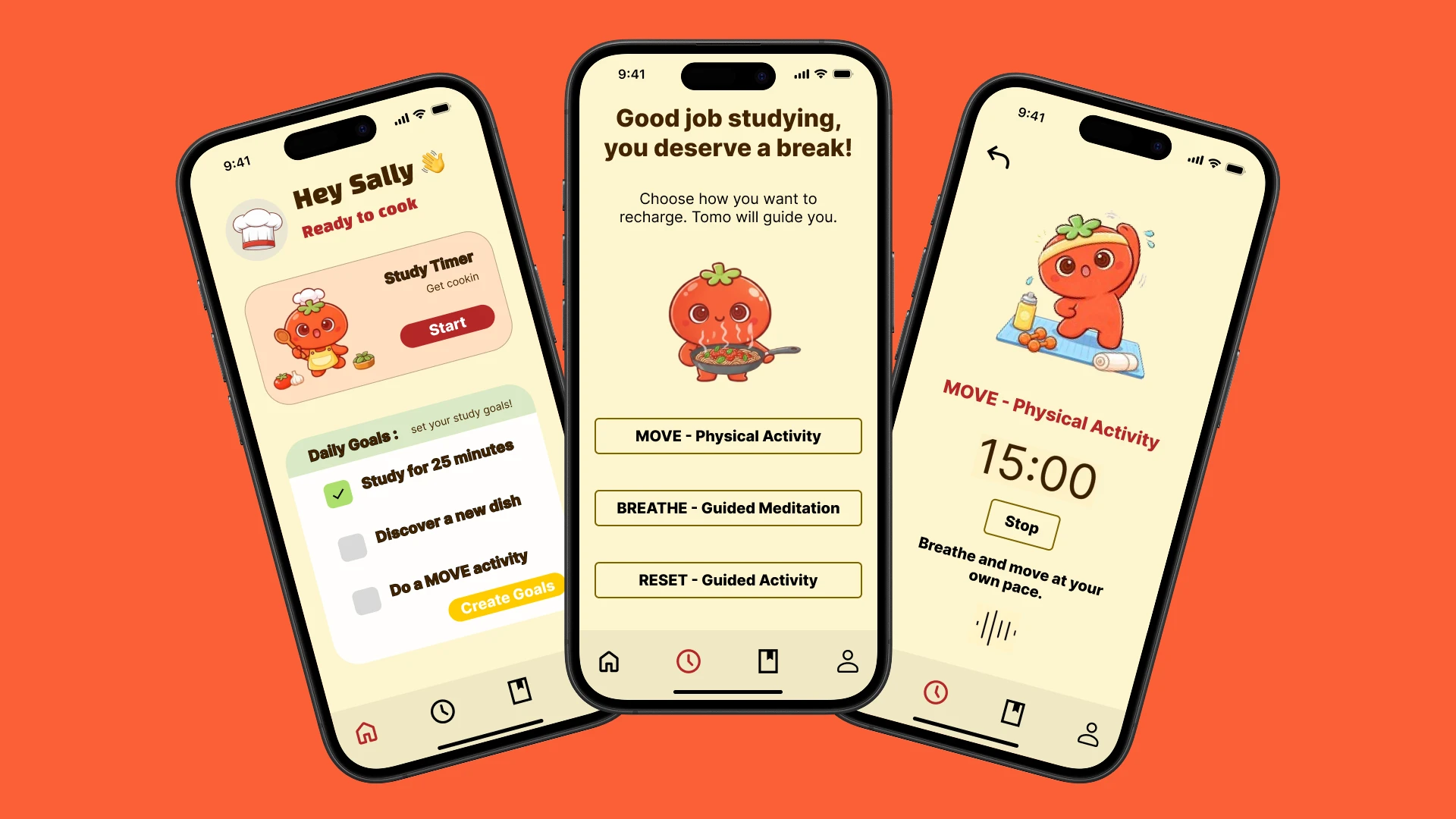
Tomo Time is a study tool that uses the pomodoro technique that doesn't just make students' studying more effective, but also reduces the risk of disruptive scrolling during breaks. Tomo is the perfect study partner that keeps students entertained and off their screens during study breaks.
To mitigate the risk of doom scrolling while on breaks, Tomo himself will lead students through a voide-guided activity so they can have something to do during their breaks without having to look at or touch their phones.
p.s. if you want to hear Tomo's voice during the break activity, make sure to toggle on the sound.
The Problem
In a world that rewards being “always on,” how might we design an experience that helps people set and keep boundaries to make recovery time feel socially safe, rewarding, and easy to sustain?
Our interpretation of this prompt naturally came from a students lens since we are a team of students. University students are “always on” by default, whether it's studying, writing an assignment, or just worrying about life, and it's hard to find breaks in between without completely losing motivation and reaching for your phone.
From a survey of over 50 university students, we found that 67% tend to scroll on their phone during study breaks, and 84% find phone screens to be a large distraction that inhibits effective breaks.
Pain Points
From our research, we uncovered two major pain points for university students
- 01Short study breaks frequently turn into extended social media scrolling sessions
- 02Students lack accessible break activities that feel engaging without disrupting productivity
Using these pain points, we defined our problem statement.
How might we help students take restorative study breaks while reducing screen time to avoid doomscrolling?
The Current Market
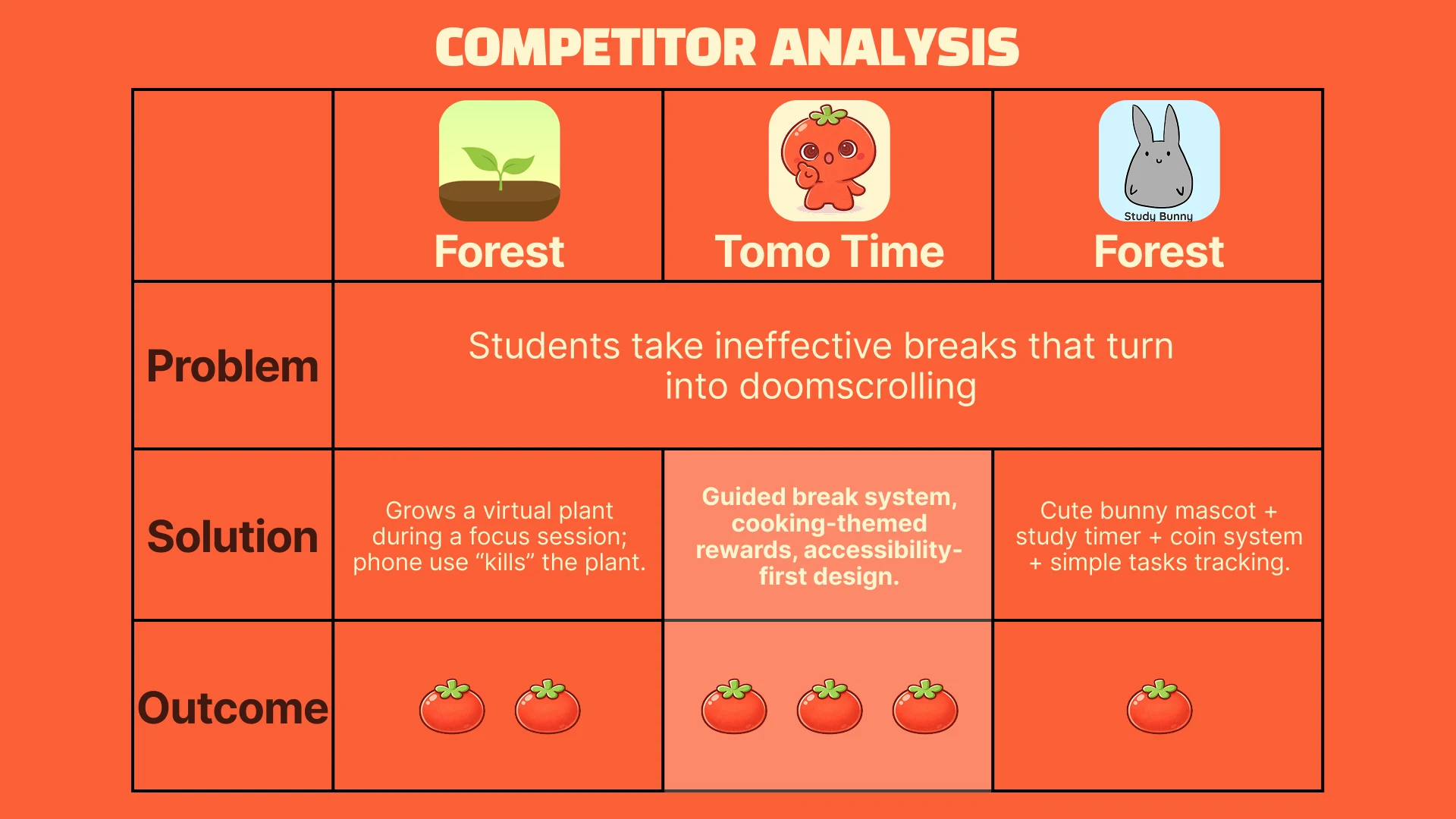
The current tools students already use pick one of two sides. Some prohibit the phone outright, like Forest, but has no consideration for what the student should do during breaks. Others encourage it, like Study Bunny, which is more screen time at a time that's at high risk for doomscrolling.
Tomo Time takes the middle approach that doesn't completely prohibit phone use but also doesn't encourage it.
The Solution
Tomo Time is a customisable pomodoro study timer with voice-led activities during study breaks. This means that students can still have activities to do during their breaks without needing to scroll on their phones.
After each session, Tomo also rewards you with the dish that he has been cooking which you can see in your
you can use your mouse or left and right arrow buttons to click through the prototype, and press 'r' to restart
Key Decisions
Accessibility Check-in for Mobility
During onboarding, students have an option where they can voice any accessibility concerns they have with physical movememts since some of the activities may require some movement.
Voice-guided activities vs Phone-led activities
Our original idea for break activities was to include brain stimulating games to play during study breaks like puzzles or trivia, but decided to pivot because it seemed counter intuitive to our problem statement.
AI voice-led activities provided a unique, yet functional solution that fulfilled the need for entertainment while simultaneously reducing the risk of phone scrolling.
Food Rewards vs Daily Streaks
We had considered implementing streaks as an incentive for students but found that it would defeat the whole purpose of keeping students off the phone during breaks.
Instead, we opted for students to receive a food reward when they complete a session, which they can view at any time. It doesn't just serve as an incentive, but also acts as a diary of all their past sessions and when they look back at it, they can visually see how much studying they have done with Tomo.
Reflections
Impact
First place at UXathon 2026, and Best AI Voice Integration — competing against 20 other teams and designing under a 24 hour deadline.
What I Learned
Understand your audience to understand your product
In this project, we really had to look beyond surface-level data and understand the core problems that our users are dealing with. Gaining a deep understanding of the audience allowed us to make more meaningful and intentional decisions.
Listening to and implementing feedback is critical
Mentor feedback played a major role in developing this product. Learning to actively (especially if it's one you don't want to hear), evaluate, then evaluate constructive criticism helped strengthen both our product and overal design process.